Home inventory
Know what's in your pantry, fridge and freezer
cookingplan.app keeps a running inventory of your kitchen and connects it to your meal plan, so you see not just what you have, but what's already set aside for this week's dinners.
Free during early access · no card · standard, vegetarian & vegan
How it works
- 1
Scan or type it in
Press Scan barcodes on Home inventory and hold a barcode up to your phone's camera, or type the digits. Food with no barcode? Add it by name.
- 2
Say how many and where
Choose how many, check the package size from the label, and pick Pantry, Fridge, Freezer or Other. Nothing is added until you press Add.
- 3
Plan dinners
Planned dinners reserve what they need, so Available always shows what's still free.
- 4
Stay stocked
Set a minimum on staples like olive oil and get a low-stock alert when you reach it.
On hand, reserved, available
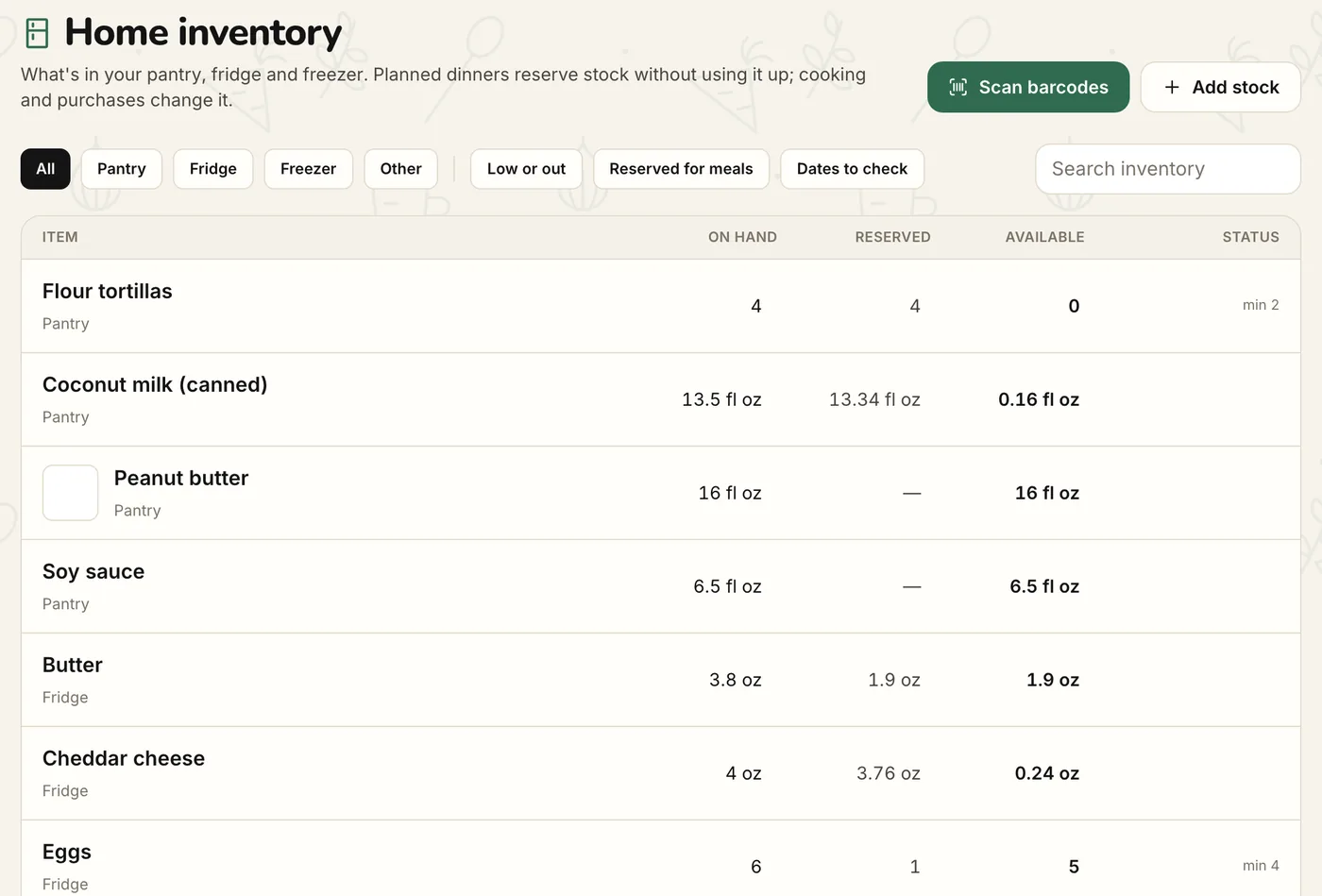
- On hand — what's physically there.
- Reserved — the part set aside for dinners you've planned. Reserving doesn't change on hand.
- Available — on hand minus reserved: what's free for new plans.
Every barcode remembered
cookingplan.app remembers each barcode for your household, so the next time you scan the same product the item, size and spot are filled in — one tap. Product names and sizes come from Open Food Facts and Walmart's catalog; only the barcode number is sent to look it up.
The scanner never removes anything, so a stray scan can't take stock away. Removing and correcting happen in Home inventory, with the reason recorded.
Oldest first, with dates when you want them
Each purchase is its own lot with a location and optional best-by, use-by or opened date. Dated stock is used first and shows up under Dates to check. Dates are for organizing — the app never decides whether food is safe to eat.
Alerts that don't nag
There's at most one open alert per problem. It updates instead of repeating and closes by itself once it's fixed.
- Low stock — an item is at or below the minimum you set.
- Not enough for planned meals — this week's dinners need more than you have.
- Out of stock — an item you track has run out.
- Date review — a date label suggests checking an item.
Questions
Do I need a barcode scanner?
No. Your phone's camera works. If the camera can't be used, press Type barcode and enter the digits printed under the bars.
Can my family share one inventory?
Yes. Invite people to your household and everyone sees the same inventory, dinners and grocery lists. Each change is recorded with who made it and when.
What about food without a barcode?
Press No barcode? Add it by name to type what it is, how much, and where it goes — fresh produce, meat from the counter, bulk bins and leftovers all work.
How much does cookingplan.app cost?
It's free during early access — no card and no trial clock. Every household gets the larger Household limits while early access lasts.