Meal planning
The meal planner that knows what's already in your pantry
Most meal planners hand you a shopping list for everything in the recipe. cookingplan.app starts from what's in your pantry, fridge and freezer, so your list only has what's actually missing.
Free during early access · no card · standard, vegetarian & vegan
How it works
- 1
Tell it what's at home
Add stock under Home inventory by typing names or scanning barcodes with your phone's camera. You can also skip this and add things later.
- 2
Plan the days you cook
Open Meal planner, press Plan a dinner, pick a date and a recipe, and set the servings. Empty days are fine.
- 3
See what's missing
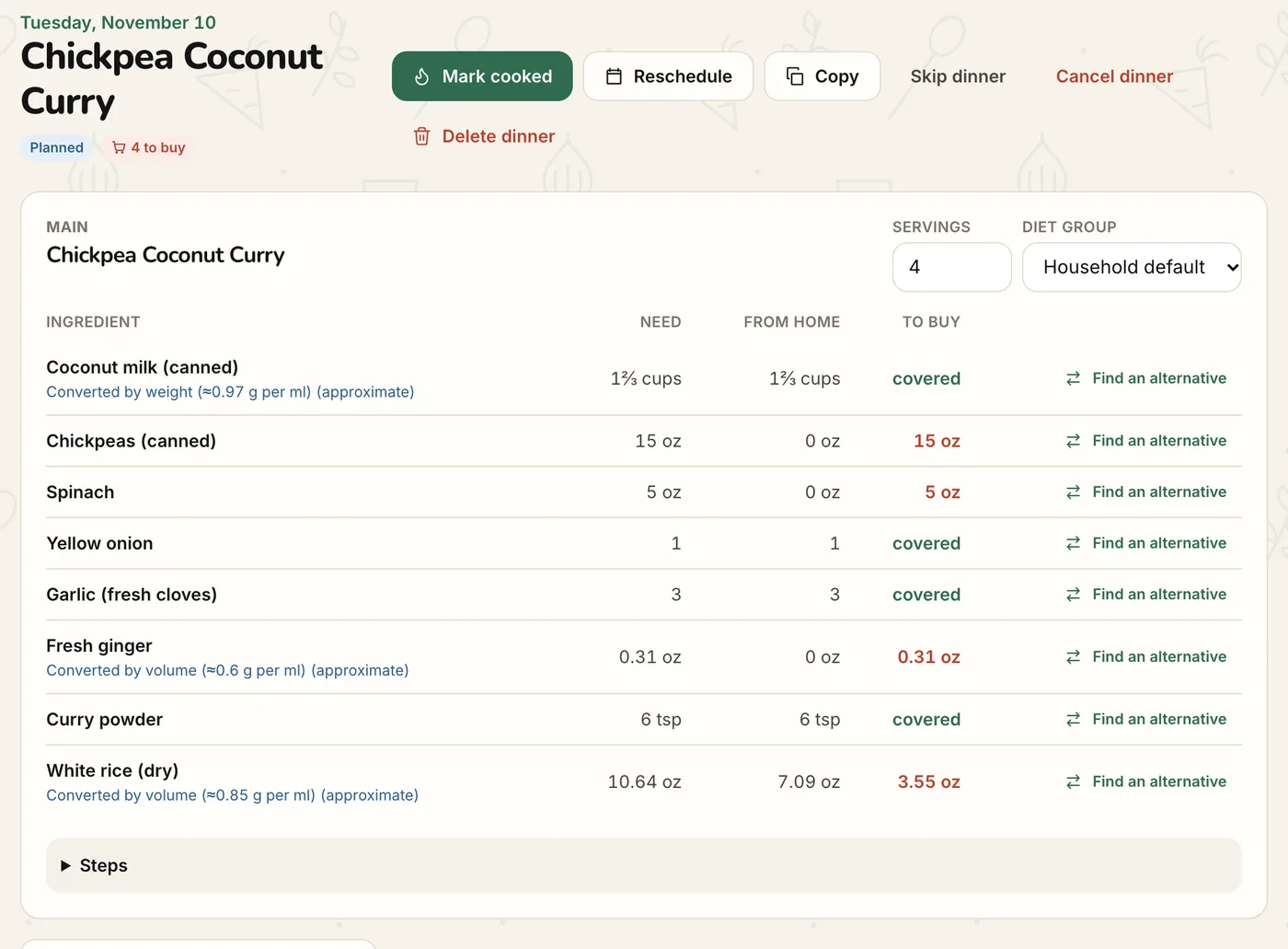
Every dinner shows Need, From home and To buy for each ingredient, so you know what to pick up before you shop.
- 4
Shop, then cook
Make one grocery list for the dates you're shopping for. After dinner, Mark cooked takes the ingredients out of your inventory.
Reserved, never double-counted
When you plan a dinner, the ingredients it can use from home are reserved for it, oldest first. The same pound of chicken is never counted for two dinners.
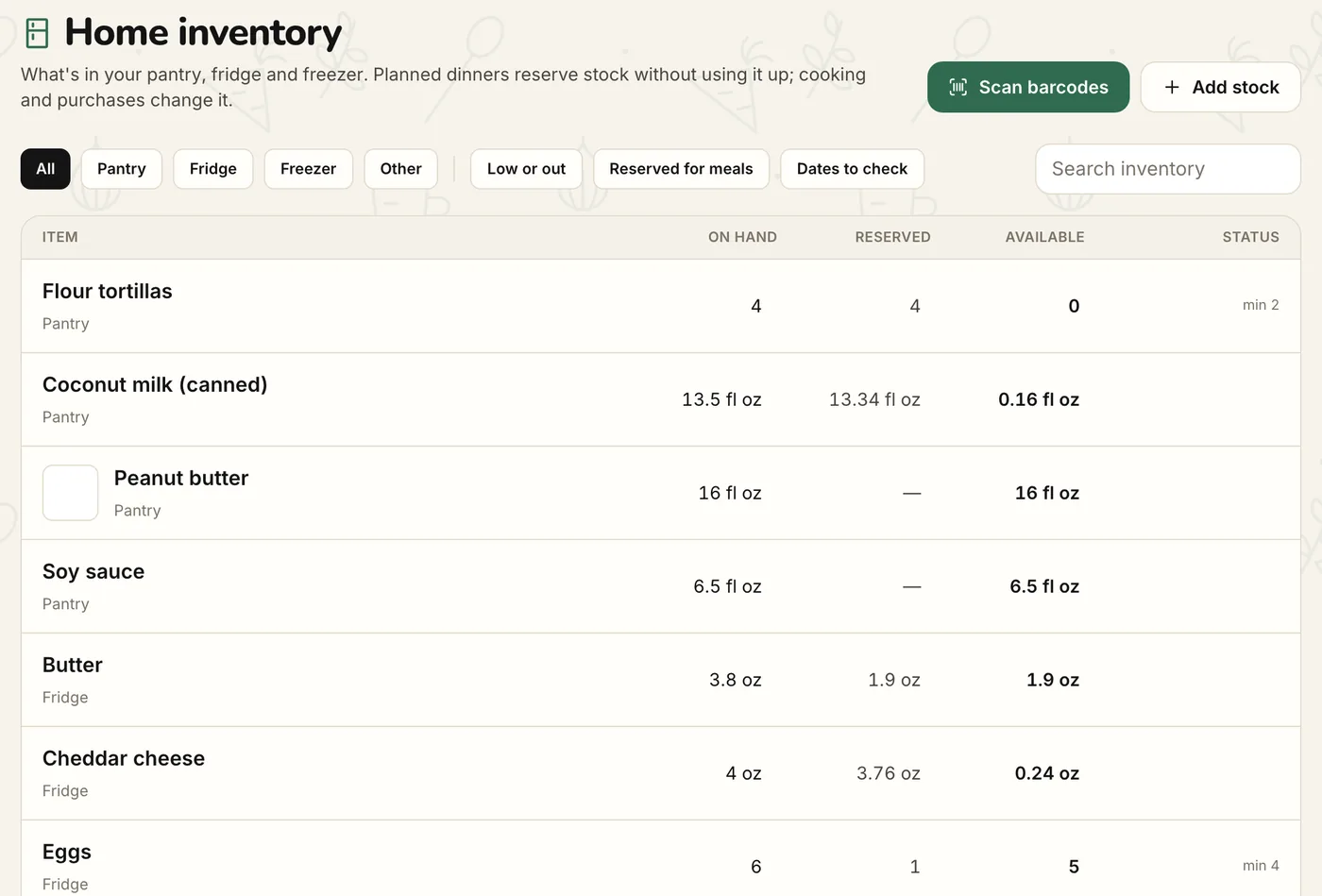
Home inventory shows On hand, Reserved and Available for every item, so you can see what's still free for the next plan. Reserving never changes what's on hand — only cooking and purchases do.
Your week, at a glance
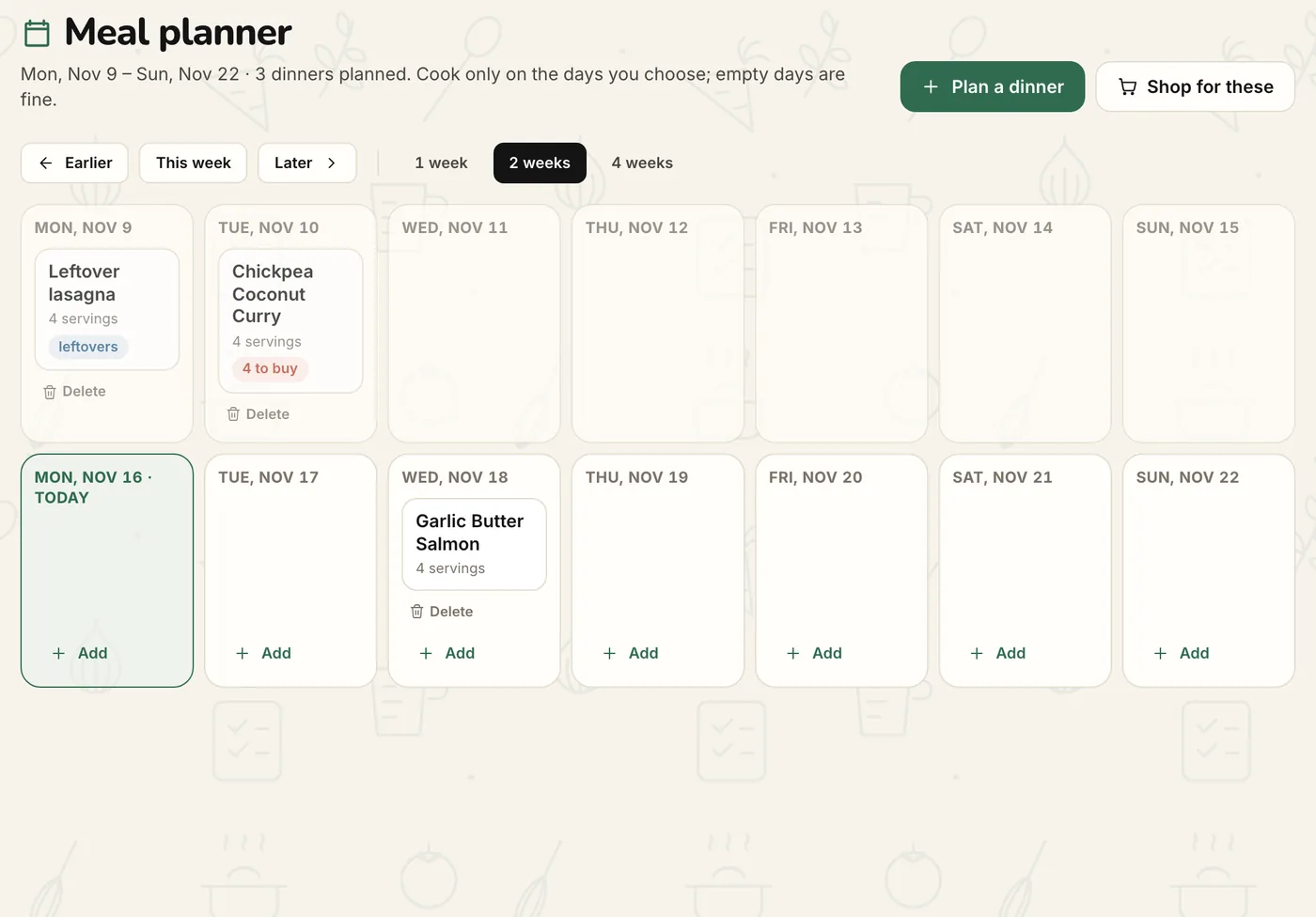
Look at one, two or four weeks at a time and use Earlier and Later to move between them. Give each dish its own servings — six of chili, four of cornbread — and add sides to any dinner.
Cooking extra on purpose? Plan a leftover dinner on a later date. It uses the extra portions and adds nothing to the grocery list.
Missing something? Use what you have
Press Find an alternative on any ingredient. Swaps come from a reviewed catalog with a ratio and a plain note about how the result differs, and alternatives you already have at home rank first.
Anything that conflicts with your household's diet or allergies is shown as blocked, with the reason. Approving a swap changes only that dinner — never the recipe.
Questions
Do I have to enter everything in my pantry first?
No. You can skip inventory setup; until you add what you have, grocery lists buy the full amount for each dinner and say so. Add items any time under Home inventory, by name or by scanning barcodes.
Does planning a dinner use up my groceries?
No. Planning only reserves ingredients. They come out of your inventory when you press Mark cooked, and skipping, cancelling or deleting a dinner releases them right away.
Can more than one person plan?
Yes. Invite people to your household. Editors can plan, shop and cook; the owner also manages members and billing.
How much does cookingplan.app cost?
It's free during early access — no card and no trial clock. Every household gets the larger Household limits while early access lasts.